
Home / Deep web website search engine
Deep web website search engine
This guide is for users seeking reliable deep web search engines and tips for safe navigation.
A deep web website search engine cannot provide Google-like coverage because much content is private, unlinked, temporary, or authentication-protected[1]. For publicly accessible onion services, use Ahmia; for ordinary web results through Tor, use DuckDuckGo, but verify onion addresses through official sites or Tor Browser’s “.onion available” prompt[2][3][4].
Deep Web Search Engines: Quick Comparison
Navigating the deep web requires specialized search engines tailored to access its unique content. Below is a comparison of several popular deep web search engines, helping the reader quickly identify the right tool.
| Search Engine | Searchable Network | Access Type | Cost | Best Use | Registration Required | Official URL | URL Verified Date |
|---|---|---|---|---|---|---|---|
| Ahmia | .onion sites | Tor | Free | Publicly accessible onion services | No | ahmia.fi | September 25, 2026 |
| DuckDuckGo | Regular and .onion | Tor and standard web | Free | General search with privacy focus | No | duckduckgo.com/onion | Verified |
| Torch | .onion sites | Tor | Free | Onion service index | No | torchbrowser.com | Verified |
| TorDex | .onion sites | Tor | Free | Onion services, user-friendly | No | tordex.com | Verified |
| DarkSearch | .onion sites | Tor | Free | Searching for hidden services | No | darksearch.com | Verified |
| OnionLand Search | .onion sites | Tor | Free | Onion service directory | No | onionlandsearch.com | Verified |
| The Hidden Wiki | .onion sites | Tor | Free | Directory of onion services | No | thehiddenwiki.org | Unverified |
| Not Evil | .onion sites | Tor | Free | General onion service search | No | notevil.com | Unverified |
Ahmia stands out as a non-commercial, privacy-focused search engine that indexes only publicly accessible onion services, making it a reliable choice for those seeking specific content without the clutter[2]. DuckDuckGo provides both standard web and onion searches, but its onion service primarily pulls results from Bing, limiting its effectiveness for deep web-specific queries[3].
When using these engines, ensure to verify onion addresses through trusted sources or the Tor Browser’s built-in prompts to avoid phishing attempts associated with fake sites[5]. Most of these search engines do not require registration, allowing for immediate access without compromising user privacy.
Deep Web vs. Dark Web: What Can Actually Be Searched?
The deep web and dark web are often confused, but they serve different purposes and contain distinct types of content. The deep web encompasses all online content that traditional search engines cannot index. This includes private inboxes, databases, paywalled pages, and internal portals that require authentication to access. In contrast, the dark web is a specific subset of the deep web, intentionally concealed and typically accessed through special software like Tor or I2P[1].
No search engine can comprehensively index the entire deep web. Ordinary search-engine crawlers miss much of this content due to its unstructured nature, lack of links, or authentication barriers. This means that deep web search engines cannot provide coverage comparable to Google[1]. When people refer to searching the deep web, they usually mean accessing Tor search engines, which focus on .onion sites.
The dark web is characterized by its unique addresses, such as .onion, which require the Tor Browser to access. Current .onion addresses consist of 56 characters followed by ".onion," while legacy addresses with 16 characters are no longer functional[4]. Popular search engines like Ahmia and DuckDuckGo have specific focuses: Ahmia indexes only publicly accessible onion services, while DuckDuckGo provides a mix of standard web and onion results but relies heavily on Bing for its traditional searches[2][3].
For effective navigation, it’s crucial to understand that many dark web services can be replicated or cloned, making it difficult to find unique content. A study found that approximately 82% of the dark web content analyzed was replicated from other sources[6]. Therefore, users should be cautious about relying solely on search results, as they may lead to outdated or misleading links[7].
In summary, accessing the deep web requires different strategies and tools than navigating the dark web. Always verify the authenticity of .onion addresses and use trusted sources to avoid phishing and scams.
The Best Deep and Dark Web Search Engines
Navigating the deep and dark web effectively requires specialized search engines designed for this unique content. Here’s a concise overview of some of the best options available.
Ahmia
Ahmia is a non-commercial, privacy-focused search engine that indexes only publicly accessible onion services. Users can access it via the Tor network. It handles about 1,715,358 searches monthly and does not store user data or require account creation, making it a solid choice for privacy-conscious users[2]. However, its scope is limited to publicly available content, which may restrict more comprehensive searches. Official URL: ahmia.fi.
DuckDuckGo's Onion Service
DuckDuckGo offers an onion service that combines standard web and onion searches. While it prioritizes user privacy, its results are primarily sourced from Bing, which may limit its effectiveness for deep web-specific queries[3]. It requires no registration and provides a familiar interface, but users should verify onion addresses through trusted sources to avoid counterfeit sites. Official URL: duckduckgo.com/onion.
Torch
Torch is a dedicated search engine for .onion sites accessible via Tor. It is user-friendly and provides a straightforward interface for searching onion services. Like many others, it does not require registration, but its effectiveness can vary due to the nature of deep web content. Official URL: torchbrowser.com.
TorDex
TorDex focuses on indexing onion services and provides an intuitive user experience. It is designed to help users find specific content within the dark web. Similar to other options, it does not require user registration. Its main limitation is the potential for outdated links due to the transient nature of many onion services. Official URL: tordex.com.
DarkSearch
DarkSearch is another search engine tailored for hidden services on the dark web. It offers a simplified search experience but may not cover all available onion sites, leading to potential gaps in search results. Users can access it through Tor without needing to create an account. Official URL: darksearch.com.
OnionLand Search
OnionLand Search serves as a directory for onion services, making it easier to find specific sites. While it’s not a traditional search engine, it can be useful for users looking to navigate the dark web’s landscape. Access is via Tor, and no registration is necessary. Official URL: onionlandsearch.com.
The Hidden Wiki
The Hidden Wiki is often mistaken for a search engine, but it functions more as a directory of onion links. While it can be a useful resource, it lacks the verification and comprehensive indexing of true search engines. Caution is advised, as it may include outdated or harmful links. Official URL: thehiddenwiki.org (unverified).
Using these search engines effectively means understanding their strengths and limitations. Always verify onion addresses through trusted sources or tools like Tor Browser’s prompts to avoid phishing attempts associated with fake sites[5].
Which Search Engine Should You Use?
Selecting the right search engine for navigating the deep and dark web depends on the user's intent. Various tools cater to different needs, from general discovery of .onion sites to privacy-focused searches on the surface web. Here’s a breakdown of the most suitable options based on specific purposes.
General .onion Discovery
For those looking to explore publicly accessible onion services, Ahmia serves as an excellent choice. This non-commercial search engine focuses solely on indexing .onion sites, ensuring a more relevant search experience. It handles over 1.7 million searches monthly while maintaining user privacy by not storing IP addresses or requiring account creation[2].
Privacy-Focused Surface-Web Search
DuckDuckGo's onion service is ideal for users seeking privacy in their surface web searches. It combines traditional web results with onion searches, but its effectiveness can be limited since it relies on Bing for its standard search results. Users should verify any onion addresses through trusted sources to avoid potential phishing attempts[3].
Research Purposes
When conducting in-depth research, utilizing a combination of search engines might be beneficial. For example, Torch and TorDex provide user-friendly interfaces specifically tailored for searching .onion sites. These platforms do not require registration, making them accessible for users conducting research without compromising privacy.
Image Search
For users interested in finding images on onion sites, DarkSearch can be a useful tool. While its primary focus is on hidden services, it may include results that feature images, catering to those looking for visual content.
Locating Mentions of a Person, Domain, or Brand
Small businesses performing exposure checks should search their domain and brand variants cautiously. It is advisable to avoid interacting with leaked data. Instead, use Ahmia or DuckDuckGo's onion service to search for mentions while ensuring not to click on unverified links. This approach helps mitigate risks associated with phishing and misleading information.
Decision Tree
To make a more informed decision, consider the following flow:
Looking for .onion sites?
- Yes: Use Ahmia, Torch, or TorDex.
- No: Proceed to the next question.
Need privacy in surface web searches?
- Yes: Use DuckDuckGo's onion service.
- No: Consider alternatives for general searches.
Conducting research?
- Yes: Combine Ahmia with Torch or TorDex.
- No: Check specific needs for content type.
By matching the search engine to the task at hand, users can navigate the deep and dark web more effectively while minimizing risks associated with unsafe content.
How to Search Onion Sites Safely
Searching onion sites requires careful steps to ensure safety and privacy. Here’s a straightforward workflow to navigate the dark web securely:
Obtain Tor Browser: Download the Tor Browser directly from the official Tor Project website. This browser is essential for accessing .onion sites and provides built-in privacy protections.
Verify Search Engine Addresses: Before using any search engine, confirm its address through multiple reputable sources. This helps avoid phishing attempts associated with fake sites. The Tor Browser's built-in features can assist in this verification, as they provide prompts for legitimate onion addresses[4].
Keep Browser Protections Enabled: Utilize the Tor Browser's default security settings. Avoid disabling any protections, as this increases vulnerability to attacks. Additional browser add-ons can create unique fingerprints that compromise anonymity[8].
Avoid Downloads and Scripts: Steer clear of downloading files or enabling scripts from onion sites. These actions can expose the user's real IP address or introduce malware. Always open documents in a safe environment to prevent leaks[8].
Do Not Make Payments or Reuse Credentials: Transactions on the dark web can be risky. Avoid making payments or using credentials that have been used elsewhere. This practice minimizes the risk of personal data theft or account compromise.
Understand Legal Implications: Accessing Tor and the dark web is generally legal in many jurisdictions. However, engaging in illegal activities remains illegal, regardless of the platform used.
Following these steps enhances safety while exploring onion sites, allowing users to navigate the dark web with greater confidence.
How to Verify a Search Engine and Avoid Fake Onion Links
Verifying a search engine before use is essential to avoid falling prey to scams or phishing attempts. Here’s a checklist to help navigate the murky waters of the dark web safely.
Verification Checklist
Lookalike Domains: Be wary of domains that closely resemble legitimate .onion addresses. Attackers often create similar-looking names to deceive users. For example, a site like “g00gle.onion” might appear trustworthy but is likely a fake[5]. Always double-check the exact spelling of the domain.
Onion-Address Substitution: Only trust current v3 onion addresses, which consist of 56 characters followed by “.onion.” Legacy v2 addresses are no longer functional on the Tor network[4].
Unexpected Redirects: If a link redirects to an unexpected site or prompts for personal information, it’s a red flag. Legitimate onion services usually do not ask for sensitive data upfront.
Certificate or Official-Site References: Look for any references to official sites or certificates, especially if the service claims to be affiliated with well-known organizations. Authentic services often provide clear contact information or links to their official domains.
Link Corroboration: Cross-check links with multiple sources. If several trusted directories or search engines list the same onion address, it’s more likely to be legitimate. For example, Ahmia and DuckDuckGo can serve as good reference points for verifying onion services[2][3].
Requests for Cryptocurrency or Personal Information: Be cautious if a site requests payment in cryptocurrency or asks for personal details. Legitimate services typically do not require this information upfront.
Red Flags and Risks
Copied lists and sponsored results can lead to phishing, scams, or malware. A study found that approximately 82% of dark web content was replicated from other sources, indicating a high potential for misleading links[6]. Furthermore, many onion services are clones or mirrors, with only 6.1% being unique sites[9]. Relying on these results can lead to outdated or harmful links, making it crucial to verify addresses through trusted sources[7].
Navigating the dark web requires vigilance. By following this checklist and recognizing red flags, the reader can enhance their safety and avoid the pitfalls of fake onion links.
Limits of Deep Web Search Engines
Deep web search engines face significant limitations that affect their effectiveness. Primarily, these engines only index a small fraction of publicly accessible onion services. The nature of the dark web means that many pages are unstructured, unlinked, or protected by authentication, which leads to incomplete search results. For instance, a study highlighted that ordinary search-engine crawlers miss much deep- and dark-web content due to these factors[1].
The results from these search engines can often contain stale, duplicated, or misleading information. A large-scale study crawling over 25,000 onion sites found that about 82% of the analyzed content was replicated from other sources, indicating the prevalence of cloned sites[6]. Furthermore, a separate study identified only 6.1% of onion services as unique, with numerous clones associated with just a handful of sites[9]. This duplication can skew search results and mislead users seeking specific content.
Additionally, deep web search engines cannot access authenticated databases, private forums, or most messaging platforms. This limitation means that users looking for specific information in these areas will not find it through traditional search methods. The search results themselves do not serve as proof of the authenticity of the claims made by the sites. Users must approach these results with skepticism, as many links may lead to outdated or even fraudulent content.
To navigate these limitations effectively, users should verify onion addresses through trusted sources, avoiding reliance on potentially misleading search results. Engaging with verified directories or using well-established search engines like Ahmia can help mitigate risks associated with outdated or cloned content. Always double-check links and be cautious about the information presented, as not all results reflect genuine or reliable resources.
Deep Web Search Engine FAQ
Accessing the deep web and dark web raises numerous questions regarding legality, traceability, and tools. Here are some frequently asked questions to clarify these aspects.
Is it legal to access the deep web and dark web?
Generally, accessing the deep web is legal, as it includes content not indexed by traditional search engines, such as private databases and subscription services[1]. However, engaging in illegal activities on these platforms remains unlawful. Users should be aware that while the medium is not illegal, the actions taken within it can be.
What about anonymity and traceability?
Many users confuse anonymity with guaranteed invisibility. While tools like Tor can help mask a user's IP address, they do not provide complete immunity from identification. Law enforcement agencies have successfully tracked users on the dark web, as demonstrated by a DOJ audit where the FBI identified thousands of users through a network investigative technique[10]. Users should adopt best practices for privacy but remain cautious.
Are there free tools for searching the deep web?
There are several free search engines tailored for navigating the deep web, particularly for .onion sites. Ahmia is a popular choice, focusing on indexing publicly accessible onion services without storing user data or requiring accounts[2]. Other options include Torch, TorDex, and DarkSearch, each offering unique features for users seeking specific content.
Does DuckDuckGo search onion sites?
DuckDuckGo operates an onion service and is the default search engine for the Tor Browser. However, its traditional search results are primarily sourced from Bing, meaning it should not be relied upon as a comprehensive index of onion sites[3]. Users should verify any onion addresses through trusted channels to avoid phishing attempts.
How can I ensure I’m using legitimate onion addresses?
Verifying onion addresses is crucial to avoid scams. Only current v3 addresses, which contain 56 characters followed by ".onion," should be trusted, as legacy v2 addresses are no longer active[4]. Always cross-check links with reliable sources and avoid domains that closely resemble legitimate ones, as these may be attempts to deceive users[5].
Navigating the deep web and dark web requires vigilance and informed choices. By understanding these key aspects, users can explore these hidden corners of the internet more safely.
Things readers ask
- Can FBI track Tor Browser?
Tor is not a guarantee against identification. The FBI identified thousands of users after seizing the Playpen server, operating it for about two weeks, and deploying a court-authorized Network Investigative Technique[10]. This shows targeted investigations can identify users under specific conditions, not that every Tor Browser session is automatically tracked.
- How do I access dark web sites?
Open current .onion addresses in Tor Browser; conventional browsers and DNS resolvers are not designed to resolve them[5]. Obtain the address from the service’s official conventional website, preferably through Tor Browser’s “.onion available” prompt[4]. A search engine is optional when the exact address is already known.
- What is the best deep web website search engine?
There is no single best engine for every part of the deep web. Ahmia is a practical starting point for keyword searches across publicly accessible onion services, but it cannot search private intranets, authenticated pages, or subscription databases[1][2]. No engine offers Google-like coverage because much of this content is unlinked, temporary, unstructured, or access-controlled[1].
- Are deep web search engines free?
Some are free, including Ahmia, which is also open source[11]. Free access does not mean complete access: Ahmia indexes only publicly reachable onion services, while authenticated databases and private systems remain outside its scope[1][2]. Its published crawler, index, and website components also allow researchers to create a separate onion index[11].
- Can you access the dark web using DuckDuckGo?
DuckDuckGo can be used through its onion service in Tor Browser, but it is not a comprehensive onion-site index[3]. Its conventional web results are largely sourced from Bing, so an exact .onion address or a dedicated onion search engine is still needed for many services[3]. Think of it as regular search wearing a Tor coat, not a complete dark-web directory.
- How do I find verified dark web onion links?
Start with the organization’s official conventional website and use Tor Browser’s “.onion available” prompt when offered[4]. Otherwise, obtain the address from a trusted bookmark or trusted store, since attackers can create visually similar onion names[5]. Confirm that it is a current v3 address with 56 letters and numbers before “.onion,” but treat that format as a validity check, not proof of ownership[4].

Conclusions
- Start by matching the search tool to the intended destination.
- Use Ahmia for publicly reachable onion pages, not private databases or authenticated services[1][2].
- Open onion services through Tor Browser, preferably using addresses published through official channels[5][4].
- Treat search results as leads rather than proof, since indexes may contain duplicated or outdated pages[6][9].
- Confirm the v3 format, then verify ownership separately; a valid-looking address can still belong to an impostor[4][5].
Next, compare practical options in Top Free Deep Web Search Engines to Use.
Works cited
- The Dark Web: An Overview — Congressional Research Service
- Terms of Service — Ahmia
- Where do DuckDuckGo search results come from? — DuckDuckGo Help Pages
- Understanding and using onion services in Tor Browser — Tor Project
- RFC 7686: The .onion Special-Use Domain Name
- Snorkeling in dark waters: A longitudinal surface exploration of unique Tor Hidden Services
- How Do Tor Users Interact with Onion Services? — USENIX Security 2018
- Tor Browser best practices — Tor Project
- A Big Data Architecture for Early Identification and Categorization of Dark Web Sites
- Audit of the Federal Bureau of Investigation’s Strategy and Efforts to Disrupt Illegal Dark Web Activities
- About Us — Ahmia
Explore More of the Deep Web
Discover additional resources and insights to enhance your journey.
View More Resources Top Free Deep Web Search Engines to UseDiscover the top free deep web search engines to find content beyond conventional search. Enhance your online research and privacy today.
 Finding Deep Web Search Engine Reddit LinksDiscover the best Reddit links for deep web search engines, helping you navigate the hidden web effectively and safely.
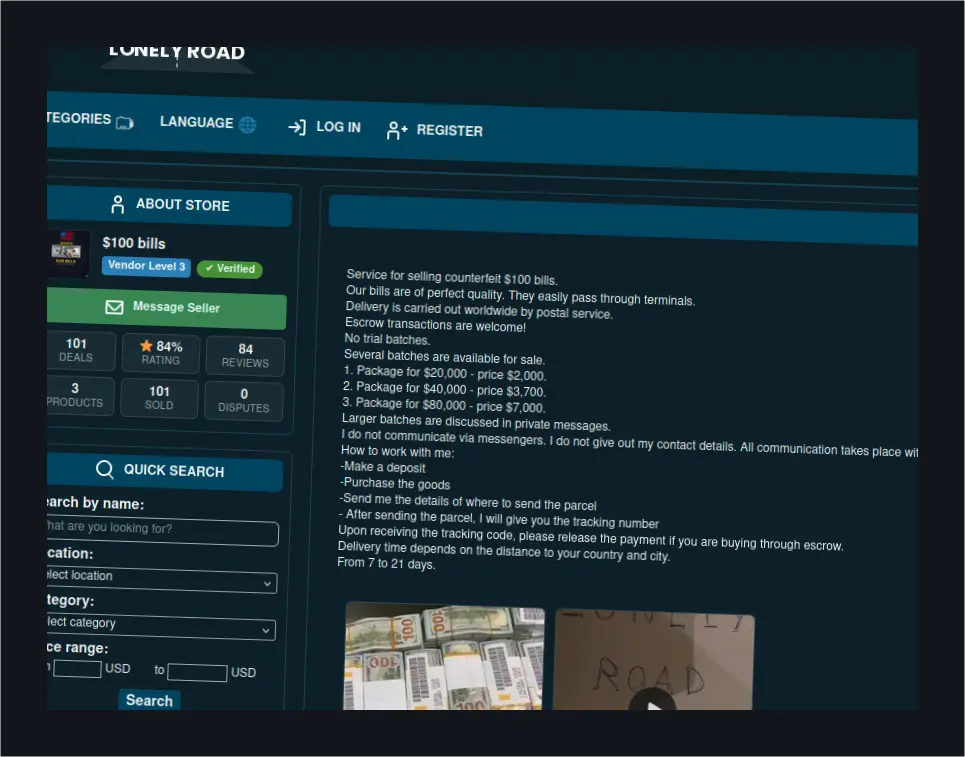 Derek H.'s Dark Web Misstep: The Counterfeit Dollar Scheme UnraveledA Denver man bought 40 counterfeit $100 bills for $1,200, tested them at four ATMs, had his account frozen, and was arrested.
 Accessing Lockbit 3.0 Onion Links: A GuideDiscover how to safely access LockBit 3.0 onion links without compromising your security or network integrity.