
Home / Understanding Dark Website Meaning
Understanding Dark Website Meaning
This guide is for internet users and small-business owners looking to understand dark websites and their implications.
A dark website is a site within the intentionally hidden dark web, a concealed subset of the deep web that generally requires special software to access—not merely a website with a dark-colored design.[1] Many use “.onion” addresses and are accessible only through the Tor network, unlike public sites using domains such as “.com” or “.org.”[2]
What Does “Dark Website” Mean?
A dark website refers to a site hosted on the dark web, an intentionally hidden part of the deep web that requires special software, like Tor, to access. This definition emphasizes the site's obscurity, distinguishing it from ordinary websites indexed by search engines. For example, a typical dark website might use a .onion address, such as "example12345.onion," which can only be visited through the Tor network and not through standard browsers[1][2].
The term "dark website" can also have other meanings in different contexts. In casual usage, it may refer to a website that features a dark-themed design. For instance, an e-commerce site selling gothic apparel might be informally labeled a “dark website” due to its aesthetic choices, despite having no connection to the dark web[1].
In communications, a dark site can refer to an unpublished website set up for crisis response. This type of dark site is often prepared in advance and activated only during emergencies to provide information and updates to the public. For example, a company facing a data breach might have a dark site ready to inform customers of the situation without overwhelming their main website with traffic[1].
Understanding these distinctions helps clarify the various uses of the term "dark website" and its implications for privacy, security, and design.
Dark Website vs. Dark Web, Deep Web, and Surface Web
Understanding the differences between a dark website, dark web, deep web, and surface web is essential for navigating online privacy and security. A comparison table can clarify these concepts:
| Feature | Dark Website | Dark Web | Deep Web | Surface Web |
|---|---|---|---|---|
| Accessibility | Requires Tor Browser | Requires special software | Not indexed by search engines | Accessible via standard browsers |
| Search-Engine Indexing | Not indexed | Not indexed | Not indexed | Indexed by search engines |
| Typical Content | Often illegal or sensitive | Varies widely | Private databases, intranets | Public websites, blogs |
| Examples | Sites with .onion addresses | Entire network of dark websites | Email inboxes, company dashboards | Wikipedia, news sites |
A dark website refers specifically to an individual site located within the dark web, which is a segment of the deep web intentionally hidden from standard search engines and requires specific software to access. This is often confused with the deep web, which includes all unindexed resources, such as email and company dashboards, that are not necessarily part of the dark web. For example, while a company’s internal dashboard is part of the deep web, it is not a dark website.
The dark web itself is a broader network that encompasses various dark websites, each potentially serving different purposes. Many of these websites utilize .onion addresses, accessible only through the Tor network, which ensures a higher level of anonymity and encryption than typical web browsing[1][2]. It is crucial to highlight that not all dark websites are involved in illegal activities; some serve legitimate purposes, like SecureDrop, which allows journalists to communicate securely with anonymous sources[3].
Recognizing these distinctions can help individuals and small businesses understand their online presence and the implications for their privacy and security.
How Dark Websites Work and How They Are Accessed
Dark websites operate within the dark web, which is a concealed segment of the deep web that requires special software for access. These sites typically use .onion addresses, which are accessible only through the Tor network, differentiating them from standard websites that utilize domains like .com or .org[1][2]. The Tor network employs a technique called multi-hop routing, where user data is sent through multiple relays, enhancing anonymity and security.
When a user attempts to access a dark website, their connection is routed through several Tor relays—usually six—three selected by the user and three by the service itself. This routing occurs at a rendezvous point instead of a direct connection, which helps obscure the user's original IP address[4]. As a result, while a dark website may not see the visitor's IP address, it can still track activity on the site if the user logs in or submits identifying information[5].
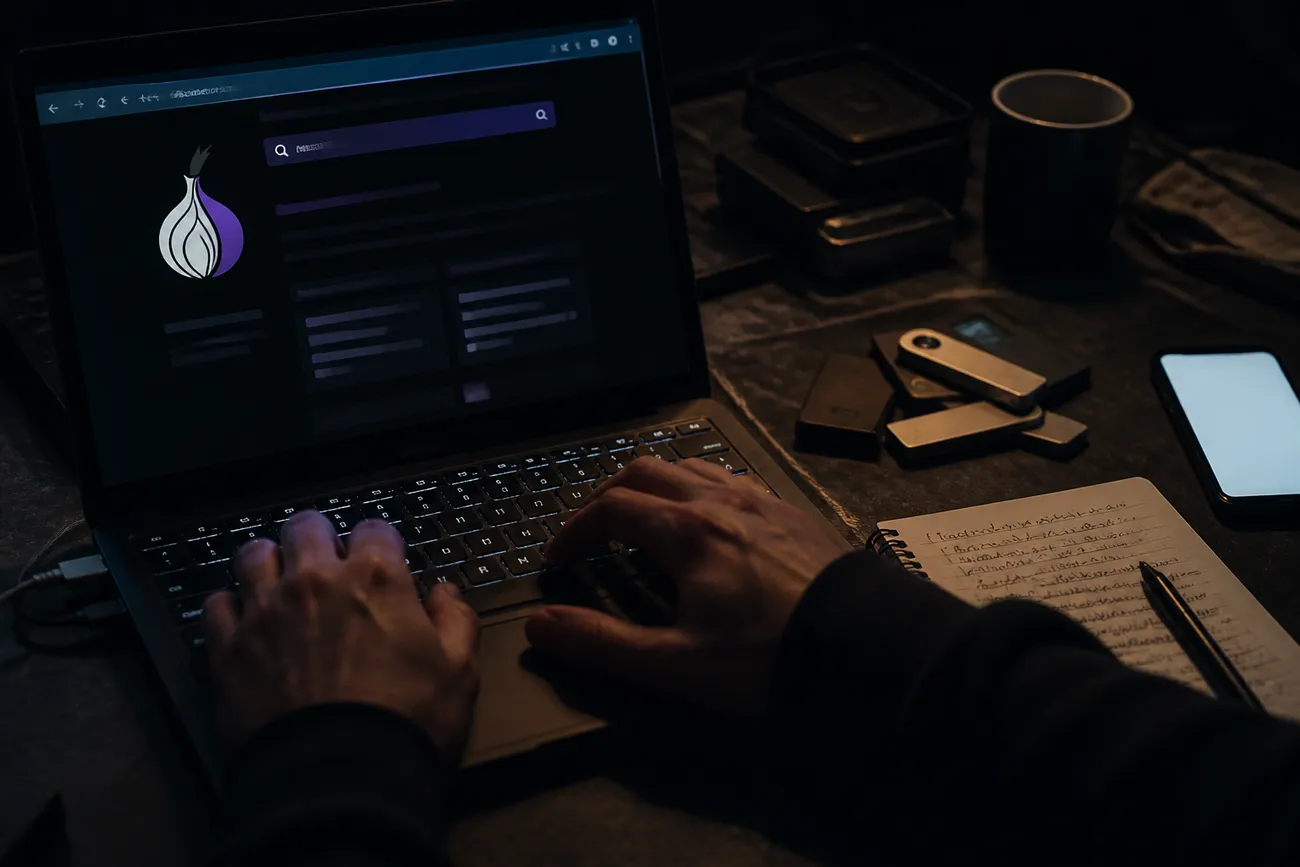
Standard web browsers cannot access .onion addresses because they are not configured to connect to the Tor network. Only the Tor Browser automatically routes traffic through Tor, keeping other applications and browsers on the same device outside of this network unless separately configured[5]. This limitation means that users must rely on the Tor Browser to interact with dark websites effectively.
The following diagram illustrates the flow of a typical connection to a dark website:
[Visitor] → [Tor Network] → [Onion Service]
Tor Browser also employs various security levels, allowing users to adjust the risk associated with enabling features like JavaScript, which can be exploited by malicious sites[6]. While dark websites are often associated with illicit activities, they can also serve legitimate purposes, such as allowing journalists to communicate securely with sources[3]. Understanding how dark websites function is crucial for anyone concerned about their privacy and security online.
What Anonymity on a Dark Website Does—and Does Not—Mean
What Anonymity on a Dark Website Does—and Does Not—Mean
Anonymity on a dark website can be significantly enhanced through routing and encryption. When using the Tor network, user data is encrypted and routed through multiple relays, making it difficult to trace back to the original IP address. A typical connection involves six Tor relays—three chosen by the user and three by the server—meeting at a rendezvous point, which obscures both the visitor's location and the server's identity[4]. This multi-hop system provides a layer of security that is not present in standard web browsing.
However, anonymity is not guaranteed. Several factors can undermine it, including phishing attempts, malicious downloads, and user behavior. For example, if a visitor logs into a dark website using a personal email address, they risk revealing their identity. Similarly, opening a downloaded file outside the protected environment of the Tor Browser can expose the user's IP address and other identifying information, as the file may contain malware designed to bypass the security measures of the Tor network[5].
In March 2026, Europol's Operation Alice led to the shutdown of over 373,000 fraudulent dark-web sites, demonstrating that even users of onion services are not immune to large-scale investigations[7]. This highlights the importance of caution; merely accessing a dark website does not inherently protect a user from being identified or tracked.
To maintain a higher level of anonymity, users should refrain from sharing any personal information and be cautious about the files they download. Engaging in safe browsing practices is essential to minimize the risks associated with dark websites.
Legitimate Uses and Harmful Uses of Dark Websites
Dark websites are often viewed through a narrow lens of illegality, but their uses can be both legitimate and harmful. Understanding this duality is crucial for anyone concerned about privacy and security online.
Legitimate Uses
Dark websites can serve important functions that contribute positively to society. For instance, SecureDrop is an onion service enabling journalists to accept encrypted documents from whistleblowers while minimizing metadata leakage[3]. Such platforms allow individuals to share sensitive information without fear of reprisal, fostering transparency and accountability.
Another legitimate use includes communities focused on privacy and freedom of speech, where users can discuss topics without the risk of censorship. These spaces are particularly valuable in countries with strict government control over the internet, providing a refuge for open dialogue and information exchange.
Additionally, some government organizations have adopted dark web presence for secure communication. For example, the CIA launched an official onion site in May 2019 to facilitate secure reporting of information[8]. These initiatives illustrate that not all dark websites are criminal; many contribute to safety and security in a digital landscape.
Harmful Uses
Conversely, dark websites can also be breeding grounds for harmful activities. These sites often host forums where stolen credentials are traded, enabling identity theft and fraud. Users looking to purchase illicit goods may find marketplaces for drugs, weapons, or hacking services, which can lead to severe legal repercussions.
Scams are prevalent, with many dark websites designed to trick unsuspecting users into providing personal information or financial details. Malware distribution is another significant concern; malicious software can be easily downloaded from these sites, compromising users' devices and data security.
Phishing schemes also thrive in the dark web environment, where attackers can exploit anonymity to deceive users into revealing sensitive information. The lack of accountability on these platforms makes it easier for criminals to operate without fear of detection.
Recognizing the dual nature of dark websites helps users navigate their online interactions more safely. Before engaging with any dark website, it is wise to assess the site's purpose and potential risks, ensuring informed decisions are made regarding privacy and security.
Common Risks and Red Flags
Navigating dark websites involves various risks that can compromise security and privacy. These risks often stem from impersonation, phishing attempts, malware distribution, and fraudulent marketplaces. For instance, some sites may mimic legitimate services, enticing users to share sensitive information or download harmful software. Understanding the warning signs is crucial for anyone interacting with these hidden corners of the internet.
Warning Signs to Watch For
Here’s a practical checklist of red flags to help identify potentially dangerous dark websites:
Look-Alike Names: Be cautious of websites with names that closely resemble well-known brands or services. A slight variation in spelling may indicate a fraudulent site.
Unexpected Downloads: If a site prompts downloads without clear justification, it may be trying to install malware. Avoid clicking on unsolicited download links.
Urgency: Scare tactics, like claiming limited-time offers or threats of account closure, are common in phishing schemes. Take time to verify claims before acting.
Unverifiable Claims: If a site makes bold promises or claims without credible sources or evidence, it’s likely a scam. Research the site thoroughly before engaging.
Requests to Disable Security Controls: Any site asking users to turn off antivirus programs or security settings should be avoided. This is a common tactic used by malicious sites.
Fabricated Reviews: Beware of overly positive reviews that seem generic or overly enthusiastic. These may be fake testimonials designed to mislead potential victims.
Cryptocurrency Requests: Sites that insist on payments in cryptocurrency without a clear and legitimate reason should raise suspicion. Cryptocurrency transactions are often irreversible and can be used for illicit activities.
While these warning signs can indicate risks posed by the site itself, user behavior also plays a significant role in security. Engaging in unsafe practices, such as logging in with personal credentials or downloading files outside the Tor Browser, can further expose users to threats. Maintaining caution and adopting safe browsing habits is essential when exploring dark websites.
Why Dark Websites Matter to Individuals and Small Businesses
Why Dark Websites Matter to Individuals and Small Businesses
Dark websites can pose significant risks to both individuals and small businesses, often without their knowledge. Leaked passwords, customer records, payment data, or impersonation pages can appear on these sites even if the affected party never visits them. Data breaches are common, and once information is compromised, it may be sold or traded in underground markets. The interconnected nature of online information means that a single leak can lead to broader exposure, impacting personal and business security.
When exposure is suspected, a clear response sequence is essential. First, verify the claim regarding the breach. Then, preserve relevant evidence, such as screenshots or logs, which may be crucial for investigations. Reset any affected credentials immediately to prevent unauthorized access. Next, review logs for unusual activity that might indicate further breaches. Finally, involve the appropriate security or incident-response contact to ensure a coordinated response. This methodical approach can help mitigate potential damage and restore security.
While some services offer dark web monitoring to alert users about their compromised information, it is important to understand its limitations. Monitoring solutions cannot scan every hidden service or guarantee that data has not leaked. Alerts may provide useful information, but they cannot replace proactive measures to safeguard personal and business data. Engaging in regular security audits and maintaining robust data protection practices can help reduce the chances of falling victim to the risks posed by dark websites.
How to Interpret “Dark Website” in Context
Context is crucial when interpreting the term “dark website.” Typically, it relates to the hidden segment of the deep web that requires specific software, like the Tor Browser, to access. In contrast, terms associated with visual design, such as colors or user interface, usually refer to aesthetic choices rather than the nature of the website itself. Additionally, references to crisis communications might indicate a dormant site intended for use during emergencies rather than a functioning dark web platform.
Decision Table
| Contextual Clue | Interpretation |
|---|---|
| References to Tor or .onion | Indicates a dark web site accessible via Tor. |
| References to colors or UI | Refers to a dark visual design, not a dark web site. |
| References to crisis communications | Suggests a dormant dark site for emergency use. |
Sample Sentences
"The journalist used Tor to access a .onion site for secure communication."
Intended Meaning: This indicates the use of a dark website within the Tor network."The app features a sleek dark UI that enhances user experience."
Intended Meaning: This describes a visual design choice, not related to the dark web."In times of crisis, the organization maintains a dormant dark website for emergency communication."
Intended Meaning: This suggests that the dark website is not actively used but is available for critical situations.
In summary, a “dark website” refers specifically to a site within the dark web that requires special software to access, distinguishing it from merely dark-themed websites or dormant sites intended for crisis use.
Conclusions
- A “dark website” usually means a hidden service reached through privacy-focused software, not a site with moody colors.
- Access alone does not provide complete anonymity, make a site trustworthy, or remove legal and security consequences.
- Legitimate services may support confidential communication, while harmful ones can facilitate scams, credential theft, malware, and illicit trade.
- Before visiting, verify the address and purpose; never reuse personal credentials, bypass security controls, or open unexplained downloads.
- If personal or business data may be exposed, document the evidence, secure affected accounts, inspect activity logs, and contact the appropriate security specialist.
For the next step, learn how access works in Understanding The Onion Router: Dark Web Basics.
Works cited

Explore More on Dark Web Insights
Dive deeper into our resources to enhance your understanding.
Visit Our Resources The Hidden Wiki: Your Guide to Dark Web ResourcesDiscover the Hidden Wiki on the dark web. Find trusted directories and resources while avoiding scams and clones.
 Access ASAP Onion Links: A Quick GuideDiscover how to safely access ASAP onion links with current market insights and tips to avoid phishing risks.
 Understanding Topic Link Onion: A GuideLearn what topic link onions are and how to safely access them on the dark web for specific information and resources.
 Understanding Onion Topic Links 2.2: A GuideDiscover Onion Topic Links 2.2, a crucial resource for navigating the dark web securely and efficiently.